

If you have ten minutes to present and your presentation notes still look like a few loose bullets, start with the decision you need—not with slide design.
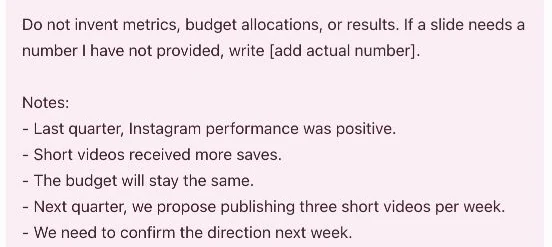
Here is a fictional example: you need a manager and marketing team to approve a next-quarter campaign direction. Your rough notes say that Instagram performed well last quarter, short videos received more saves, the budget would stay the same, the team proposes three short videos a week, and the direction needs to be confirmed the following week.
Those five example bullets are enough to build a first outline. Use ChatGPT to give each slide one job before you open PowerPoint or Canva—not to invent the campaign.
Presentation notes: audience, decision, and time limit
Open ChatGPT, start a new chat, and paste your notes with three pieces of context: who will be in the room, what you need them to decide, and how much time you have.
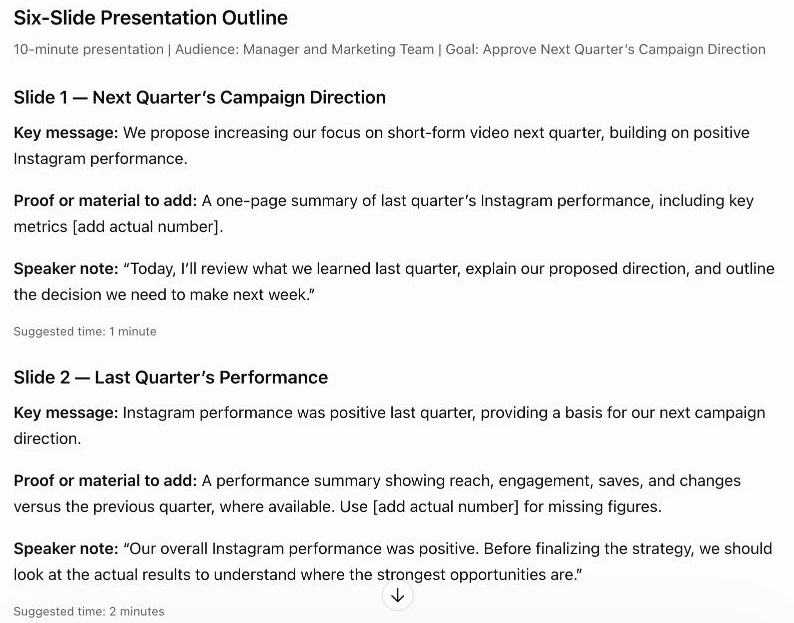
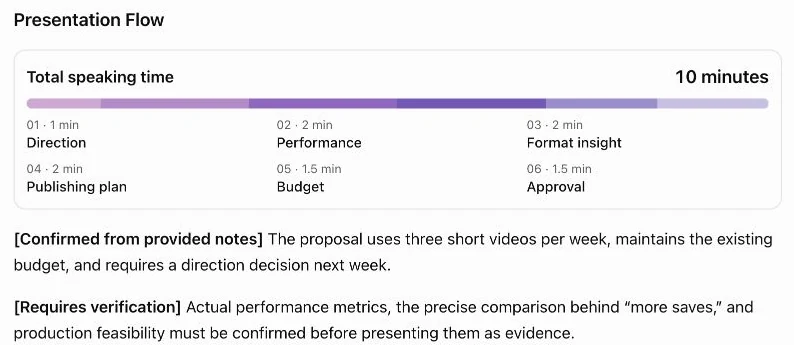
Copy the whole prompt below. Fill in the bracketed sections with your audience, goal, speaking time, and notes, then send it. The screenshots show a separate demonstration using the fictional campaign memo above.
I’m preparing a presentation.
Audience: [who will see or hear the presentation]
Goal: [the decision, understanding, or action I want from the audience]
Speaking time: [how many minutes I have]

Turn my notes below into a six-slide outline. For each slide, give me:
- a concise slide title
- one key message in a complete sentence
- the proof or material I should add
- a short speaker note

Use only my notes for factual claims. Do not invent metrics, budget allocations, results, owners, or dates. Mark missing information in brackets with a clear description of what I need to add. Keep proposed actions separate from confirmed results.

Notes:
[rough presentation notes and any confirmed facts or figures]
The instruction not to invent numbers matters here. “Instagram performed well” is a direction, not evidence you can put on a slide by itself. You still need the actual reporting period and the numbers that support the claim.
Start with six jobs, not six decorated pages
Here is a suggested outline for those notes. It is an example based on the information above, not a report of measured campaign results.
| Slide | Title | Key message | Add before presenting |
|---|---|---|---|
| 1 | Approve a video-led Instagram plan for next quarter | We are asking for approval to focus the next quarter’s Instagram plan on a consistent short-video cadence. | The decision you need from the room |
| 2 | Short videos received more saves | Short videos received more saves in the available results, so they are the format we want to prioritize. | Actual saves by format and reporting dates |
| 3 | The proposal: three short videos each week | Publishing three short videos per week turns that signal into a clear, repeatable campaign plan. | A simple weekly content calendar or example topics |
| 4 | The plan keeps the current budget | This proposal changes the publishing focus and cadence while keeping the budget unchanged. | The approved budget amount and any relevant cost assumptions |
| 5 | What the team needs to prepare | The team needs an owner, a production rhythm, and a way to review performance during the quarter. | Named owner, review date, and the metric you will track |
| 6 | Confirm the direction next week | We need a decision on the next-quarter campaign direction next week. | The decision date and the next planning step |
The slide titles are deliberately plain. A title should tell the audience what the slide is for before they read the detail underneath it.
Check the outline against your original memo
Read each line beside the notes you started with. Keep a claim only if you can point to the note or the data that supports it. You can also adapt the AI writing brief template to check whether your notes support the presentation’s main promise.
For this example, “short videos received more saves” can stay because it came from the memo. “Short videos improved brand awareness” should not appear unless you have evidence for that separate claim. The same rule applies to the budget: keeping the budget flat is supported; saying the plan will cost less is not.
If the first draft adds a claim you cannot support, send one short follow-up instead of starting over:
Keep the six-slide structure, but remove any claim that is not supported by my notes. Mark missing metrics, owners, and dates in brackets instead of guessing them.
Move the outline into your presentation app
Once the titles and messages are right, open the presentation app you already use. Create one slide for each row, put the title at the top, and add only the proof that slide needs.
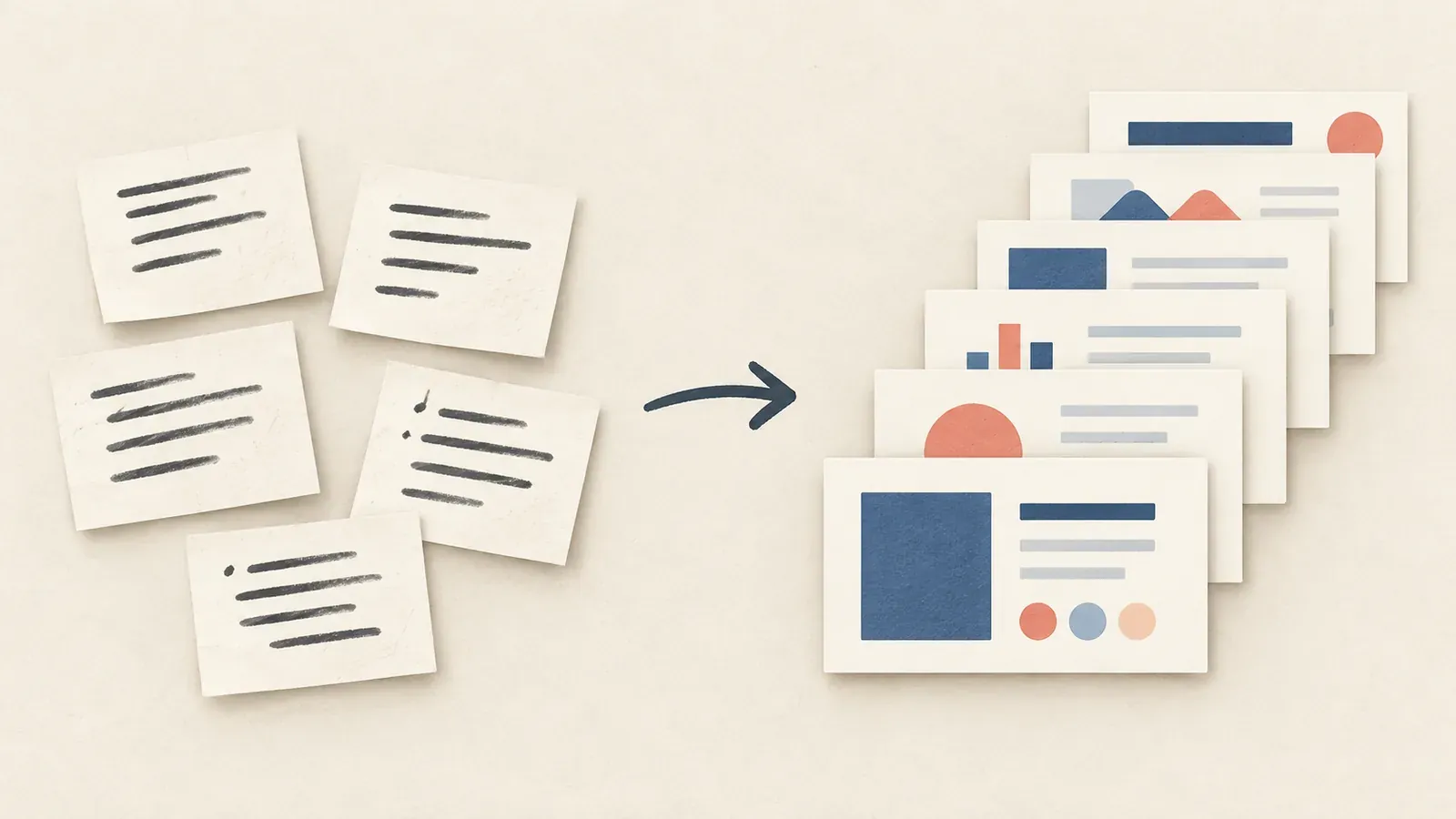
For the second slide, that might be a simple comparison of saves by content type. For the third, it might be three sample video topics. Keep the speaker notes nearby while you build, then shorten them into what you actually want to say aloud.
A rough memo can become a useful slide outline quickly when you give ChatGPT the decision, the audience, and the time limit. Let it organize the story, then add the real numbers, owners, and dates before you ask anyone to approve the plan.