

Turn a YouTube transcript into notes with the time beside each topic, so you can return to the explanation. Paste a short transcript section into ChatGPT, then ask for a topic title, the original timestamp, a brief explanation, and one review action.
The demonstration below uses three made-up topic lines. ChatGPT kept their times and added a review action for each; it did not summarize a real lecture.
A transcript is the video’s spoken words written out. A timestamp, such as 07:15, tells you where a line starts.
The October 30, 2026 screenshots show YouTube’s transcript interface and a ChatGPT run with three fictional topic lines. See the notes ChatGPT returned.
Start with a short YouTube transcript section
Open the video’s description and select Show transcript, if the video has captions. Clicking a transcript line takes you to that point in the video. [1]
Choose one short section you are allowed to copy, and keep its timestamps beside the text. If copying is not permitted or the transcript will not load, write your own brief notes while watching and record the time for each one. Automatic captions can get names, numbers, and words wrong; check those details against the video. [2]
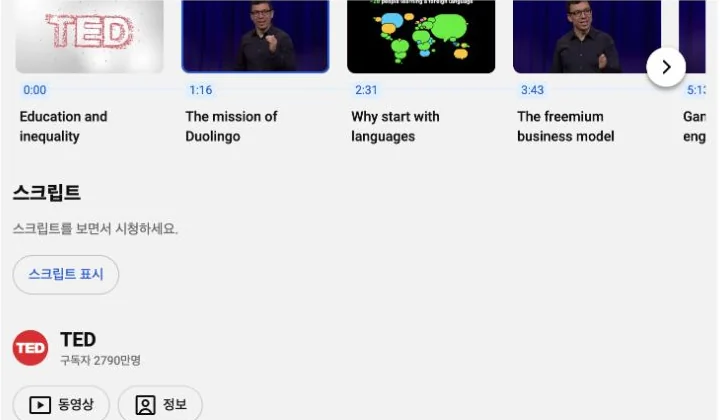
The transcript panel stayed loading in my capture, so I used these three made-up topic lines for the ChatGPT demonstration. They are not from the TED talk:
00:42 Why a weekly review needs one clear question
07:15 Turning a long task list into three priorities
12:28 Choosing the first action for each priority
For your first try, paste one short section. If you work through more of a lecture later, label the sections Part 1, Part 2, and so on. A TXT file is another option when uploads are available on your account. [3]
First result from the practice transcript. In the recorded ChatGPT run, the line at 07:15 about a long task list became the Three Priorities note, with a review action to pick three priorities. Check that the note keeps the sample’s timestamp and topic. With a real lecture, check both against the video.
Make review notes from your transcript
Copy the prompt below and fill in the bracketed sections with your purpose, maximum number of notes, and timestamped text. The screenshot shows the shorter request used in the fictional test; it is not a run of this updated prompt.
- Open a new chat in ChatGPT.
- Copy the entire prompt below into the message box.
- Fill in the three bracketed sections. Keep the original timestamps beside the transcript lines or notes.
- Send the message.
Turn this timestamped lecture transcript into review notes for [what I want to learn or prepare by reviewing this lecture].
Write the entire response in English, including headings, labels, and notes.

Group nearby lines about the same topic into one note. Keep separate parts of the video in separate notes, even if they cover the same topic. For each note, use the timestamp where that explanation starts, exactly as it appears in the text. Don’t make up a time.

For each topic, give me:
1. a short topic title,
2. the timestamp where the explanation starts,
3. one or two sentences explaining the idea,
4. one action or question I can use when reviewing.

Do not add facts that are not in the transcript. If a name, number, or term looks uncertain, mark it “Check in video” instead of guessing.

Choose up to [maximum number of review notes] sections that are most useful for my purpose. If the text covers fewer topics, give me fewer notes. Keep the notes in the same order as the video.

TRANSCRIPT:
[lecture transcript or personal notes, with the original timestamps included]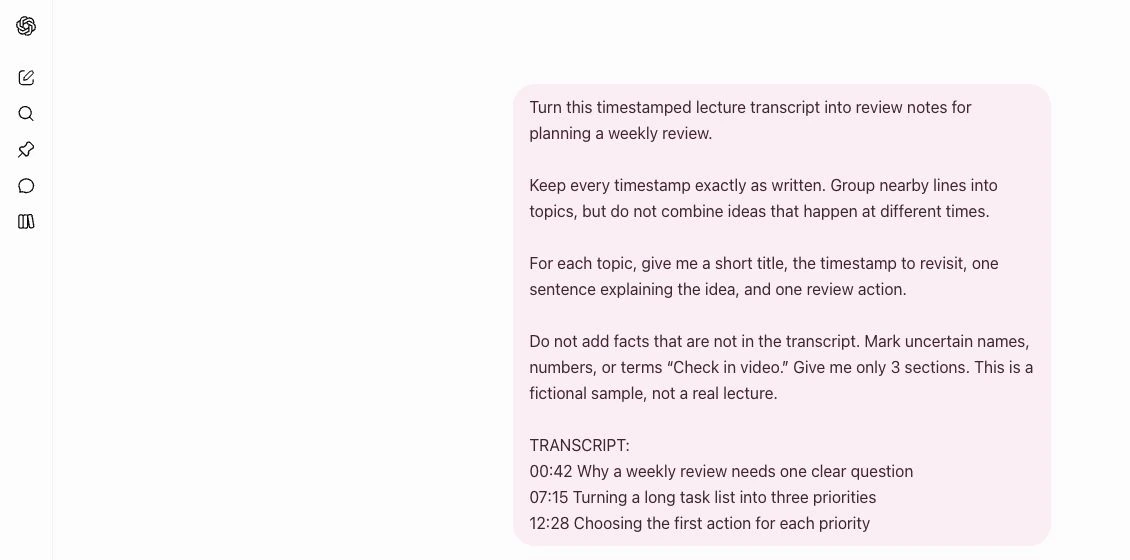
What ChatGPT wrote for the sample
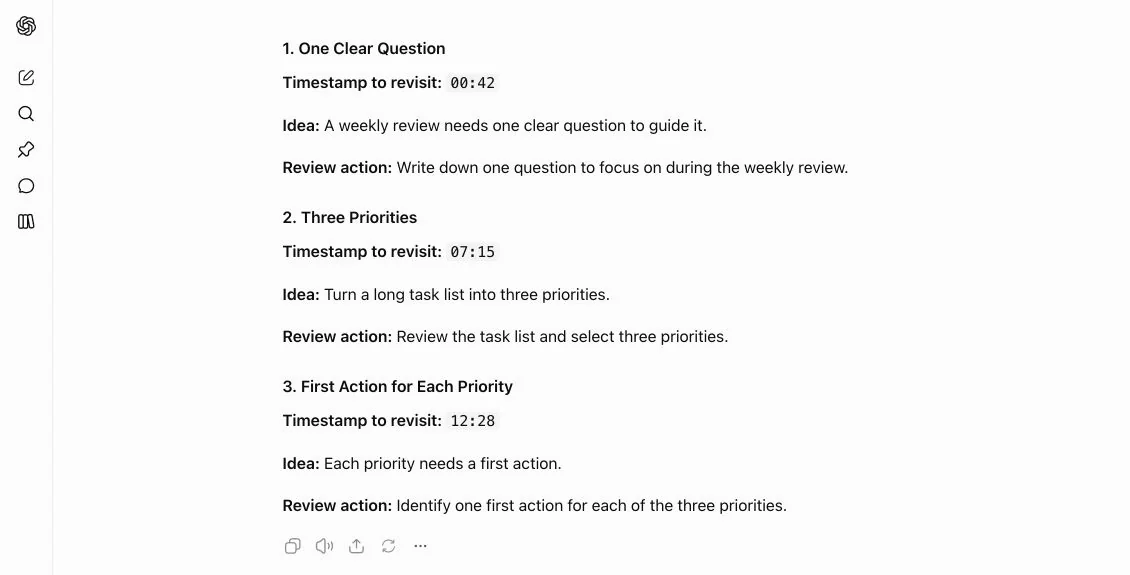
Here are the same notes in text so you can copy them:
1. One Clear Question
Timestamp to revisit: 00:42
Idea: A weekly review needs one clear question to guide it.
Review action: Write down one question to focus on during the weekly review.
2. Three Priorities
Timestamp to revisit: 07:15
Idea: Turn a long task list into three priorities.
Review action: Review the task list and select three priorities.
3. First Action for Each Priority
Timestamp to revisit: 12:28
Idea: Each priority needs a first action.
Review action: Identify one first action for each of the three priorities.
The three original times—00:42, 07:15, and 12:28—were still there. The review actions stayed close to the short input, too: choose a question, pick three priorities, and identify a first action. The reply gave the notes a consistent shape, but it didn’t add much explanation. With only topic lines in the input, there wasn’t much detail to draw from.
Check one note against the video
The 07:15 timestamp above comes from the practice example. For your own lecture, open the video description, select Show transcript, and click the caption line at your note’s timestamp. Listen from there and use these checks:
- Does the note match what the speaker actually said?
- Does the time take you to the start of the explanation?
- Are names, numbers, and words used in the lesson spelled correctly?
- Would starting a little earlier help you understand it?
If a note leaves out detail that is in your transcript, fill in its title below. Put any nearby transcript lines and their timestamps in the second bracketed section, or write “no additional lines.” Send the whole block in the same chat. This follow-up was not tested on a full lecture.
Make this review note more specific:
[title of the review note that needs more detail]

Use the original transcript already in this chat and these additional lines, if any:
[paste the relevant transcript lines with their timestamps, or write no additional lines]

Keep the original timestamp. Use only information in the supplied transcript. Give me one sentence explaining the idea and one action or question I can use when reviewing. If the transcript does not contain the missing explanation, say so instead of adding facts.
The part I’d keep
For this small test, the part worth keeping was the time beside each topic. A study note could stay as short as this:
07:15 — Reduce the list to three priorities
Key idea: Turn a long task list into three priorities.
Next review: Try this with this week’s assignments.
A timestamped note gives you a topic and a place to revisit. Keep the video link beside your notes in the study app you already use. Start with one short section, use the prompt above, and check that each note matches both the explanation and its time in the video.
Once you’ve checked a note against the video, use that short passage to practice one question at a time.
How VEYREM researches and tests · Report an error