
I tested ChatGPT Projects for writing to see what a fresh project chat would remember.
Every time I opened a fresh ChatGPT chat for VEYREM, I found myself explaining the same things again: who I was writing for, what the site should sound like, what counted as firsthand experience, and what kind of generic AI language I did not want.
None of it was difficult. I was just tired of repeating it.
So I put the recurring parts into one ChatGPT Project: the VEYREM voice, the content rules, a reference article, the publishing order, and the screenshots I wanted available while writing.
Then I opened a fresh chat.
The question was not whether Projects could write a blog post. I wanted to know something more boring and more useful: how much could I stop repeating?
The answer was: quite a bit. Just not everything.

Table of Contents
How I Use ChatGPT Projects for Writing
I kept the setup deliberately boring. That is a compliment.
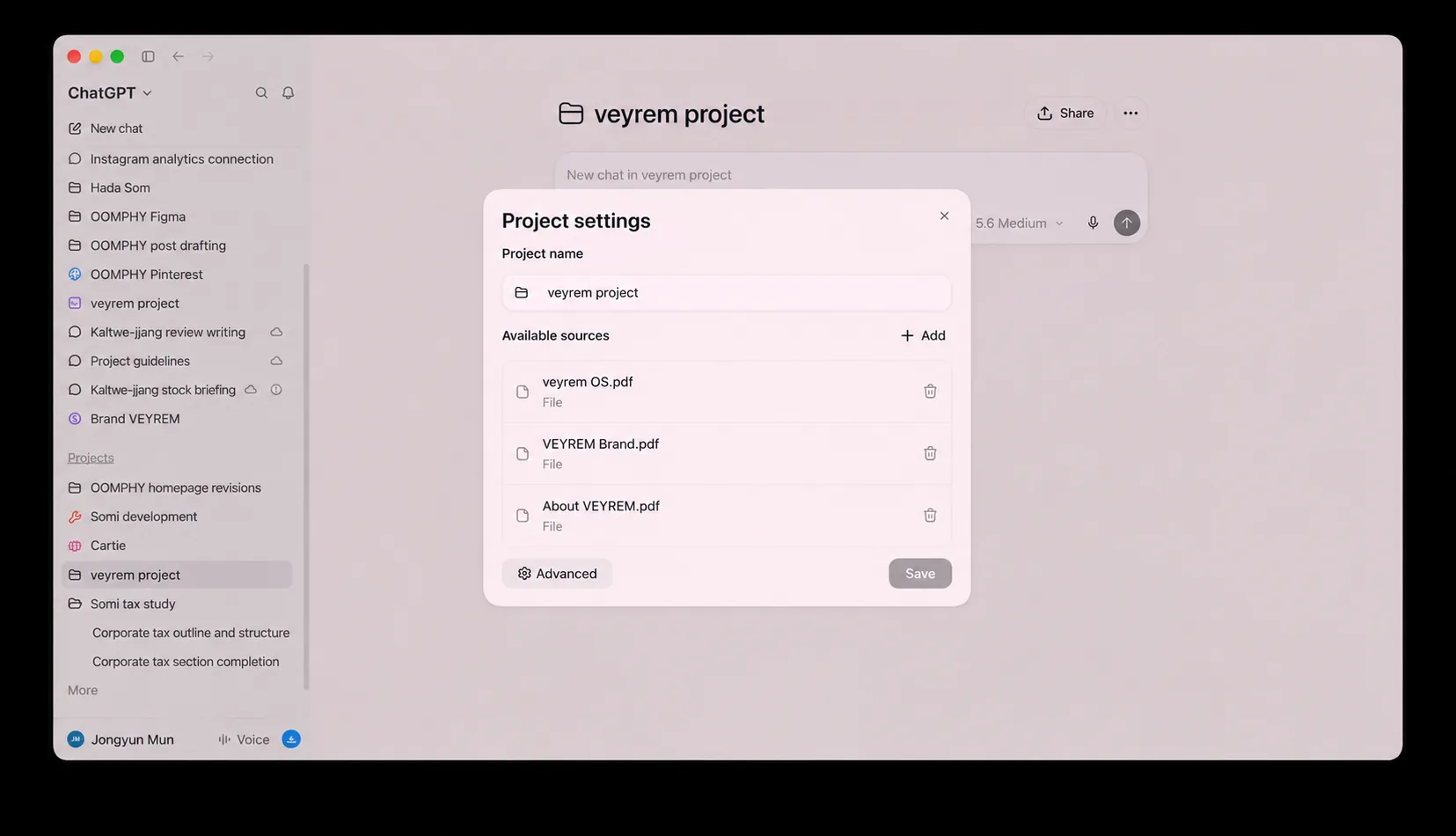
The Project had four kinds of material:
| What went in | Why it mattered |
|---|---|
| A one-page content OS | It defined voice, claims, source standards, and phrases to avoid. |
| A reference WordPress article | It showed the expected front matter, heading structure, metadata, sources, and practical tone. |
| A Notion idea database | It gave the next article a real publishing order instead of letting the model choose a random topic. |
| A Google Drive image folder | It provided original screenshots for posts where a real screen is more useful than stock art. |
The content OS did more work than a huge “write naturally” instruction ever could. It named the failure modes: fake firsthand experience, vague praise, long feature lists, unsupported money claims, and those familiar phrases that make a paragraph sound like it was assembled by a marketing robot.
The useful rule was not “sound natural.” It was “do not write as if you tested something you only researched.”
What ChatGPT Projects Carry Into a New Chat
OpenAI’s current documentation says Projects keep related chats, files, and project instructions together, and that project instructions apply inside the Project. That is the useful part for recurring writing work: the surrounding context does not have to be rebuilt from zero every time. OpenAI Help Center: Projects in ChatGPT
But I would not read “it has the context” as “it will get every decision right.”
A Project can carry the house rules. It does not make an old source current, prove that I personally tested something, or replace the final editorial check.
What Happened in a Fresh Chat Inside ChatGPT Projects
This was one real content job, not a benchmark dressed up as one.
The first thing I checked was not whether ChatGPT could produce a polished draft. That part is easy. I wanted to see whether a fresh task inside the Project could get three boring things right without me rebuilding the context:
- What article comes next?
- What writing rules matter for this site?
- Which claims still need fresh research before they go into the draft?
If it could not do those three things, the Project was not saving me much.
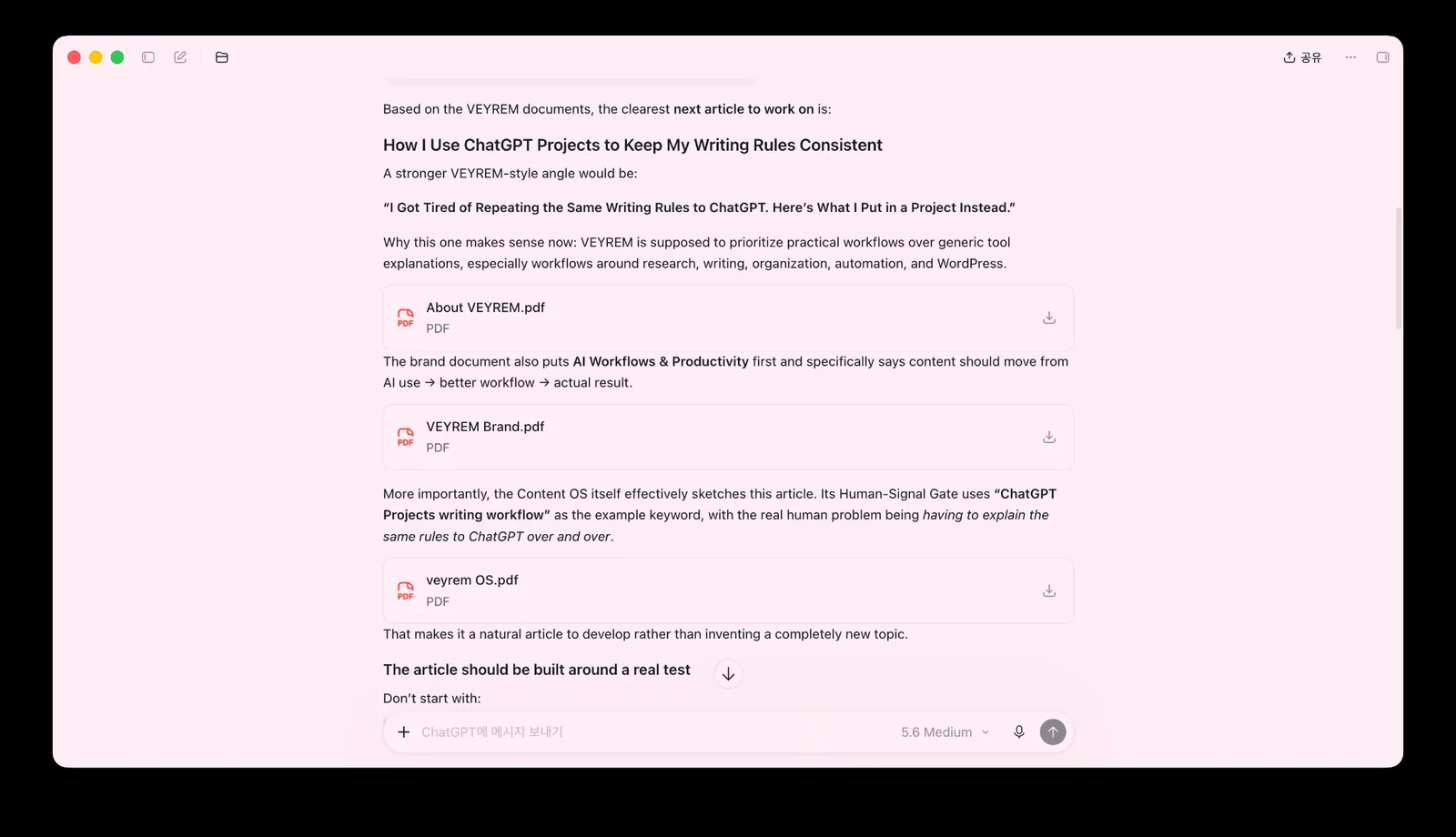
| What I expected it to carry over | What happened in this draft workflow |
|---|---|
| VEYREM audience and voice | Carried over well enough to start the task. |
| Article structure and publishing context | Available without rebuilding the whole brief. |
| What counted as firsthand experience | Still needed an explicit boundary in the article task. |
| Current ChatGPT product facts | Still needed fresh official-source research. |
The moment the Project still missed the point
The clearest miss showed up in a separate tax-study Project. I had already given ChatGPT a lot of material for a study guide, but the new draft still narrowed the scope and left out topics I had explicitly included. I had to step back in, tell it not to shrink the coverage, and rebuild the structure around the full set of topics.
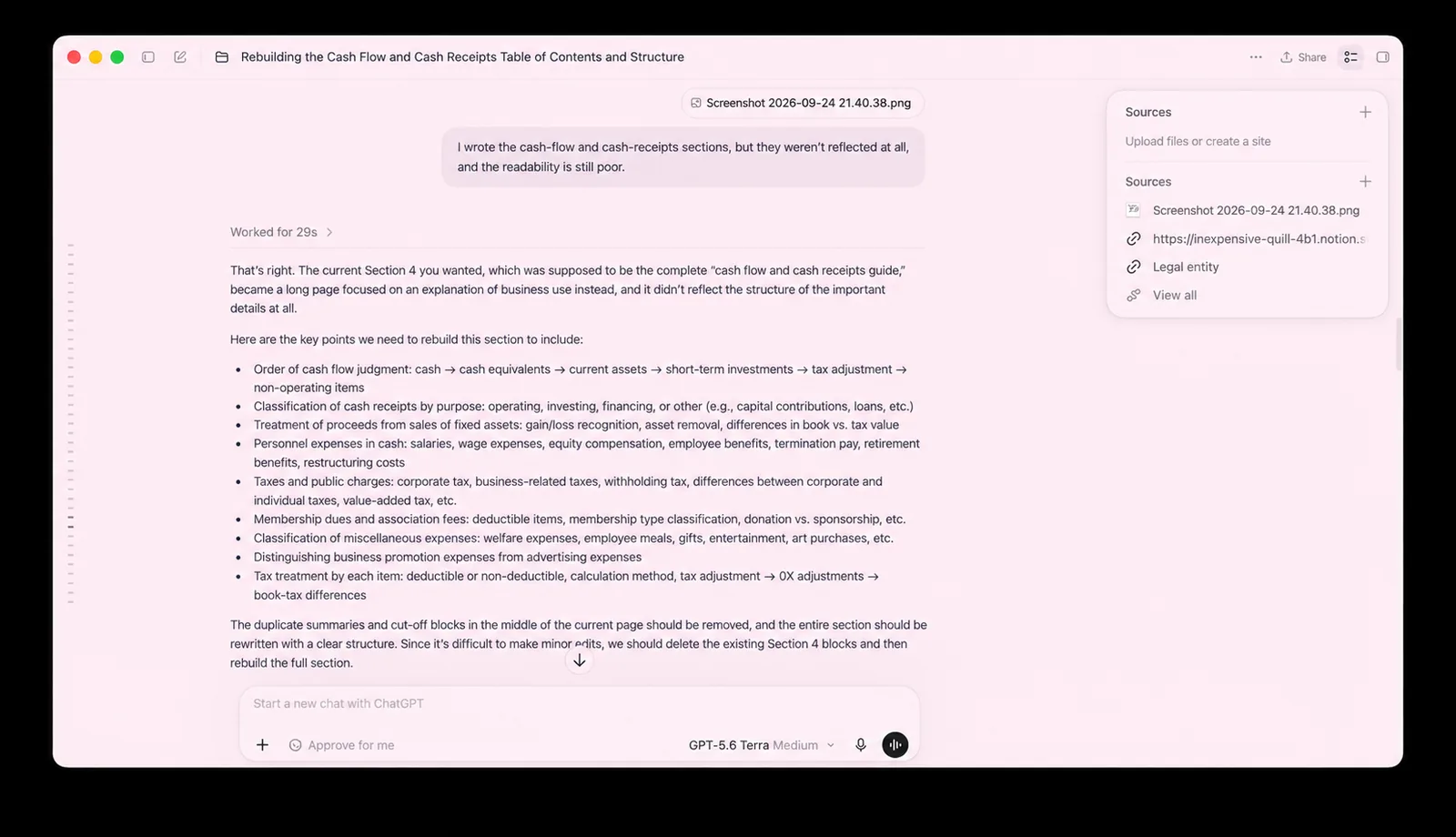
That was the point where I stopped assuming that “the Project has the context” meant “the new chat will preserve every boundary I care about.”
1. Give the Project a stable rule set
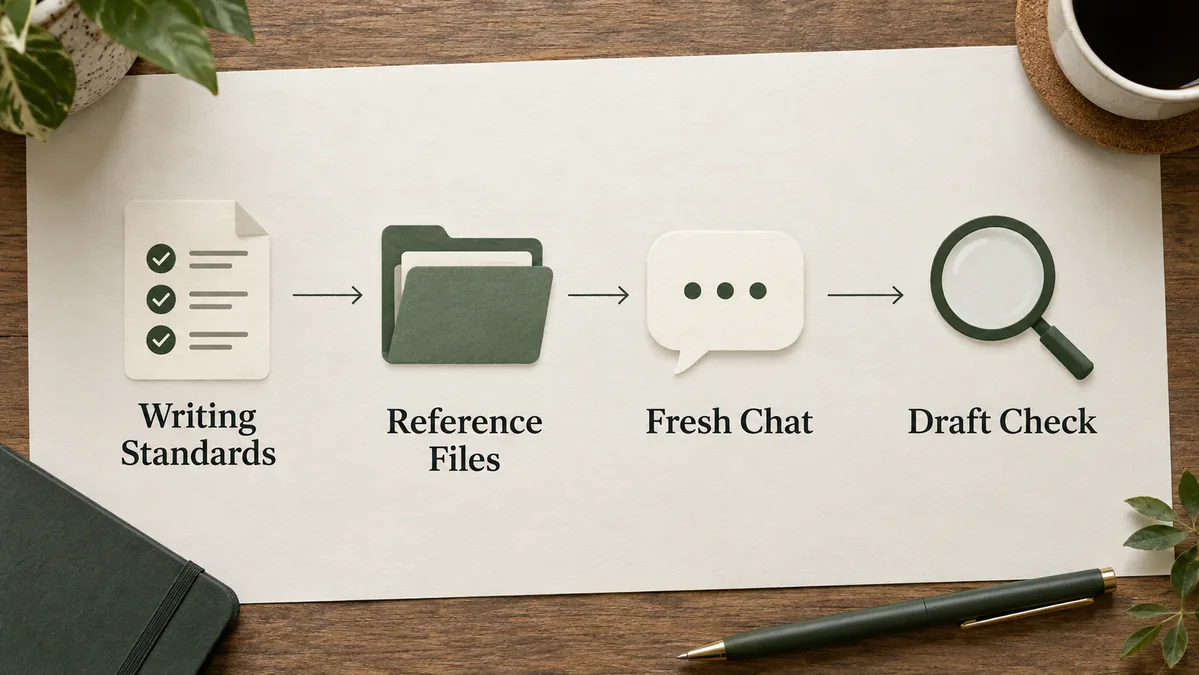
The first thing I added was the writing standard—not a prompt for one article.
The useful rules were concrete:
Write as a curious tech person who checks what tools are actually useful. Do not claim firsthand testing unless it happened. When a claim comes from research, say so. Use official sources for product behavior, pricing, limits, or policy. Start with a real problem or observation, not a definition.
That is stronger than “make it human.” “Human” is too vague to review. A specific rule can be caught when it is broken.
2. Keep reference files separate from the instructions
The content OS told the model how to make a decision. The reference article showed how the finished page should be shaped.
Those are not the same thing.
A style guide belongs in the instructions or a compact source file. A previous article, a product brief, screenshots, and research notes belong in the Project as reference material. Mixing everything into one giant instruction block makes it harder to notice what is a rule and what is only an example.
3. The line I still had to add manually
This is where the “just put everything in a Project” idea broke down a little.
I still added one sentence to the new task:
Treat this as a documentation-backed workflow article. Do not present it as a long-term personal experiment unless the supplied material shows that experiment.
I would keep that line.
Without it, a writing model has every incentive to make the story smoother than the evidence really is. A Project can carry the site rules. It cannot decide what I actually tested unless that boundary is made explicit.
The current OpenAI documentation supports the core product claims: Projects hold instructions, chats, and files for ongoing work; project-only memory keeps project context contained within that Project; and project instructions override global custom instructions. It does not prove that every fresh chat will preserve every stylistic detail in every response. So the article should not claim that. OpenAI Academy: Using Projects in ChatGPT
4. Research volatile claims before writing
The article topic itself is about a current ChatGPT feature. That means the product behavior cannot come from memory or an old screenshot.
Before drafting, I checked OpenAI’s current Help Center and Academy guidance for:
- what a Project contains;
- how project instructions behave;
- what project-only memory changes;
- how files and app links fit into Projects;
- what varies by plan or workspace settings.
This is where a Project saves organization, not fact-checking time. The documentation still has to be read.
5. Draft for WordPress, then check the claims
The article was written with the WordPress pieces at the top—keyword, slug, meta title, meta description, category, and verification date—followed by one H1 and a practical hierarchy of H2s.
Then I ran a final pass with five questions:
- Did I say “I tested” only where an actual test happened?
- Does each product claim match a current official source?
- Did the draft drift into filler such as “game-changing” or “let’s dive in”?
- Does every section answer “what should the reader do with this?”
- Would a busy reader know whether a Project solves their problem?
The Project helped most with wording and structure. For factual claims, I still checked the live official sources; for evidence boundaries, I still made the call myself.
What was actually useful
The biggest win from using ChatGPT Projects for writing was boring: less setup friction.
The fresh task could find the scheduled topic, understand the audience, and pick up the article format without making me restate the whole system. That is exactly where ChatGPT Projects make sense to me—ongoing work with a pile of context, not a one-off question. OpenAI Academy: Using Projects in ChatGPT
The other useful bit was having the annoying rules sitting next to the work. “Do not pretend you used something you only researched” is much more useful when it is attached to the same Project as the topic, source notes, and screenshots than when it is buried 50 messages back in an old chat.
Where I still do not trust the Project to decide for me
Memory is context, not a checklist
The tax-study miss is why I now treat memory in ChatGPT Projects as context, not compliance. If a boundary matters for the task, I say it again. For this article, that meant stating what I had actually tested instead of assuming the Project would infer it from older material. OpenAI Help Center: Projects in ChatGPT
Old sources still need checking
A Project can keep old research close enough that it starts to feel current. With AI products, that is risky. Plans, limits, names, and feature availability change, so I still recheck the live official source before publishing a current product claim.
The setup I’m keeping
I am keeping the same small setup: a compact rule set, one or two useful reference posts, the content board, and original screenshots or dated research notes. At the start of each article, I still add the part that changes from job to job: what I actually tested, what needs current research, and what the model should not assume.
The biggest reason I keep using ChatGPT Projects is not that they write better. It is that I can open a new chat much closer to the real work instead of explaining the whole job again.